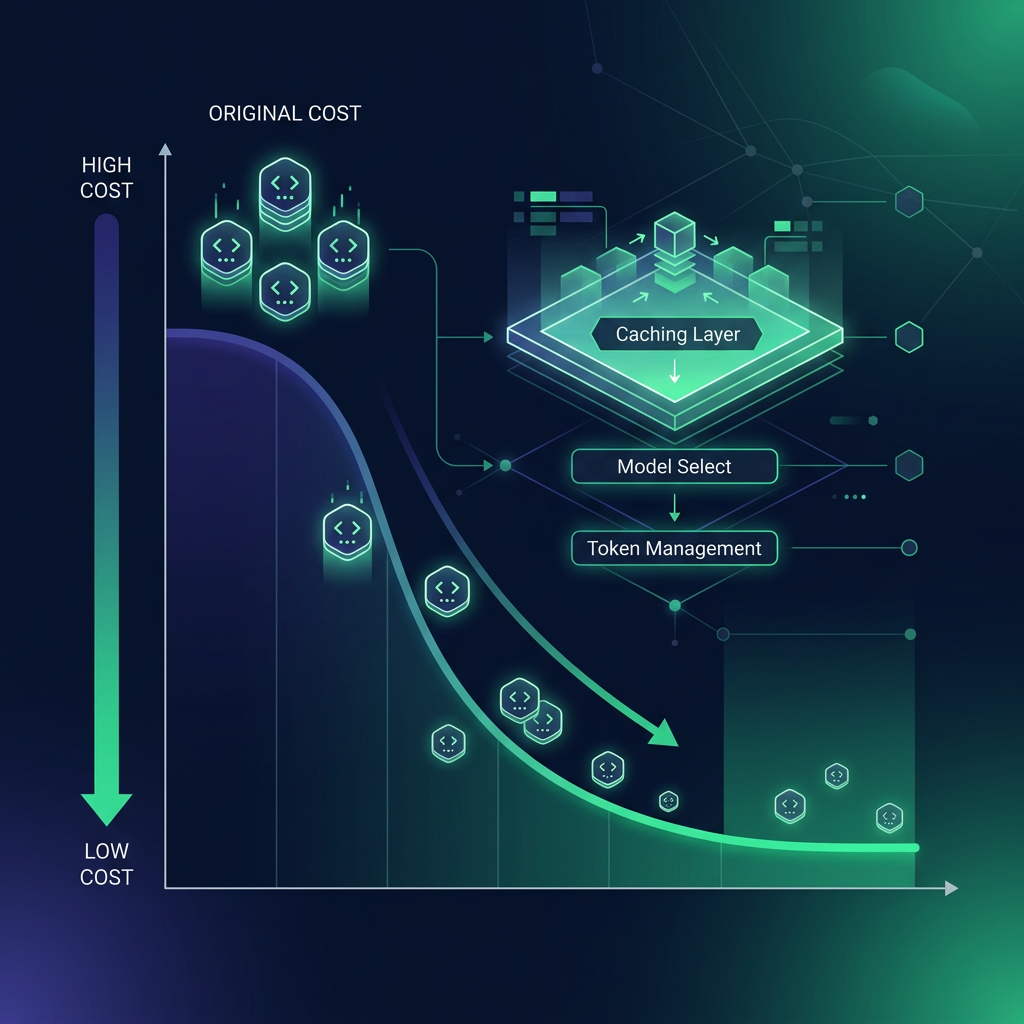
Your Coding Agent Is Burning Money
A single Claude Opus 4.8 agent session can cost $5–15. A day of heavy coding with autonomous agents? $50–200. The monthly bills developers share on Reddit and GitHub are staggering — $1,600, $2,500, even $5,000+ for teams running multi-agent workflows on frontier models.
But here's what those developers didn't know: 80–97% of those costs are avoidable. Not by coding less. Not by accepting worse results. But by understanding the simple economics of how AI coding agents actually consume tokens — and applying the same cost-optimization playbook that production AI teams have been refining since 2024.
This article is a practical, no-theory guide to cutting your AI coding agent costs. Every strategy includes real numbers from real APIs. Every technique is something you can apply today. And at the end, there's a way to use all the most cost-effective models — with the highest caching ratios in the industry — without ever worrying about a surprise bill.
💰 TL;DR: The 10-Strategy Stack (80–97% Savings)
- Switch to cost-effective models — DeepSeek V4 Pro ($0.87/1M output, 55.4% SWE-bench Pro) vs GPT-5.5 ($30/1M). Same capability tier, 34× cheaper.
- Exploit prompt caching — DeepSeek V4 Pro cache hits cost $0.003625/1M. OpenRouter reports 89.9% cache hit rate. Your effective input cost drops 99.2%.
- Use a tiered model stack — cheap models for boilerplate, mid-tier for debugging, flagship only for architecture.
- Structure prompts for maximum cache hits — stable prefixes, dynamic suffixes, one topic per session.
- Set hard iteration limits — cap agent loops at 15–25 turns. If it can't solve it in 15, it won't in 50.
- Use Batch APIs for non-urgent work — flat 50% discount from both Anthropic and OpenAI.
- Schedule off-peak — DeepSeek offers up to 75% discount during 16:30–00:30 GMT.
- Compress tool definitions — shrink verbose schemas to compact YAML. 50–90% tool overhead reduction.
- Enable response caching — OpenRouter caches identical requests for free. Agent retries become zero-cost.
- Use a platform that bundles it all — flat-rate access to the most cost-effective models, highest cache ratios, no per-token anxiety.
Strategy 1: Switch to Cost-Effective Models (Save 80–97%)
The single biggest lever. Frontier models charge frontier prices — Claude Opus 4.8 at $25/1M output, GPT-5.5 at $30/1M output. But the coding quality gap between flagship and budget models has collapsed in 2026:
| Model | Output $/1M | SWE-bench Pro | LiveCodeBench | Cost vs GPT-5.5 |
|---|---|---|---|---|
| GPT-5.5 | $30.00 | 58.6% | ~91.0% | 1× (baseline) |
| Claude Opus 4.8 | $25.00 | 69.2% | 88.8% | 0.83× |
| MiniMax M3 | $1.20 | 59.0% | — | 25× cheaper |
| DeepSeek V4 Pro | $0.87 | 55.4% | 93.5% | 34× cheaper |
| DeepSeek V4 Flash | $0.28 | — | 91.6% | 107× cheaper |
| Kimi K2.6 | $4.00 | 58.6% | 89.6% | 7.5× cheaper |
Prices as of June 7, 2026. DeepSeek V4 Pro at permanent 75% discount. MiniMax M3 at 50% launch promo. Sources: DeepSeek API docs, MiniMax API docs.
The reality check: MiniMax M3 scores higher on SWE-bench Pro (59.0%) than GPT-5.5 (58.6%) — at 25× lower cost. DeepSeek V4 Pro scores higher on LiveCodeBench (93.5%) than Claude Opus 4.8 (88.8%) — at 28.7× lower cost. These aren't "good enough for the price" models. These are models that beat flagships on specific benchmarks at a fraction of the cost.
See our complete budget model ranking for all 17 cost-effective coding models ranked by price, benchmarks, and speed.
Strategy 2: Exploit Prompt Caching (Save 90–99% on Input)
Prompt caching is the most underused cost optimization in AI coding. Here's how it works: when you send a prompt to an LLM, the model processes every token from scratch — unless part of your prompt matches a previously processed prefix. If it matches, the provider serves the cached computation and charges you a tiny fraction of the regular input price.
For coding agents — which send the same system prompt, the same tool definitions, and the same codebase context on every turn — this is transformative. 90%+ of your input tokens can be cached, and cached tokens cost 90–99.2% less than uncached ones.
The Numbers: DeepSeek V4 Pro on OpenRouter
Let's look at real production data. OpenRouter reports that DeepSeek V4 Pro achieves an 89.9% cache hit rate across all traffic. Combined with DeepSeek's cache pricing, the effective cost is staggering:
| Token Type | Price per 1M | % of Traffic | Weighted Cost |
|---|---|---|---|
| Cache Hit | $0.003625 | 89.9% | $0.00326 |
| Cache Miss | $0.435 | 10.1% | $0.0439 |
| Effective Input Price | ~$0.047 per 1M tokens | 89% below headline | |
Source: DeepSeek official API pricing + OpenRouter cache statistics. Cache hit rate is OpenRouter's reported aggregate across all providers.
At 89.9% cache hit rate, your effective input cost on DeepSeek V4 Pro is $0.047/1M — not the headline $0.435/1M. That's an 89% reduction before you've done anything. The model is practically giving away input tokens to cached sessions.
For DeepSeek V4 Flash, the numbers are even more extreme: $0.0028/1M cache hit vs $0.14/1M cache miss — a 98% savings. Developers on Reddit have reported "1 cent of usage for 30M tokens" with Flash. That's not a typo.
Cache Hit Rates by Provider
| Provider | Cache Read Discount | Cache Hit Rate (Typical) | Effective Input Savings |
|---|---|---|---|
| DeepSeek | 99.2% off (0.83% of base) | 89.9% (OpenRouter) | ~89% |
| Anthropic (Claude) | 90% off | 92.7% (Claude Code harness) | ~83% |
| OpenAI | 50% off | 89.6% (Codex harness) | ~45% |
| Google (Gemini) | 75–90% off | Varies | ~67–81% |
| MiniMax M3 | 80% off | Varies | ~72% |
Sources: Galileo 2026 Caching Playbook, Techsy Context Engineering, OpenRouter Prompt Caching docs.
DeepSeek has the best caching economics in the industry. Its 99.2% cache-hit discount (cache hits cost 0.83% of the base input price) is unmatched. Anthropic gives 90% off — excellent, but an order of magnitude less aggressive. OpenAI's automatic 50% discount is convenient but leaves half the savings on the table.
How to maximize your cache hit rate:
- Stable prefix, dynamic suffix. Put everything that doesn't change — system prompt, tool definitions, codebase context — at the beginning of your prompt. Append only the new user message at the end.
- One topic per session. Start a new chat when the subject changes. Long, meandering sessions with shifting context kill cache hit rates.
- Use provider sticky routing. OpenRouter automatically routes subsequent requests to the same provider endpoint after a cached request — maximizing the chance of cache hits. If you're using the API directly, stick to one provider per session.
- Don't reorder your prompt mid-session. Cache matching is prefix-based. If you insert a new section at the top, you invalidate everything below it.
Strategy 3: Build a Tiered Model Stack (Save 60–80%)
The most expensive mistake in AI coding: using Claude Opus 4.8 for everything. Fixing a typo? Opus. Adding a comment? Opus. Writing a simple CRUD endpoint you've written 100 times? Opus.
A tiered stack routes each task to the cheapest model that can handle it:
| Tier | Model | Output $/1M | Use For | % of Daily Tasks |
|---|---|---|---|---|
| Volume | DeepSeek V4 Flash | $0.28 | Boilerplate, CRUD, documentation, comments, simple fixes | ~50% |
| Standard | MiniMax M3 / DeepSeek V4 Pro | $0.87–$1.20 | Debugging, feature implementation, refactoring, code review | ~35% |
| Complex | Kimi K2.6 / Gemini 3.5 Flash | $3.00–$4.00 | Algorithm design, security review, multi-file architecture | ~10% |
| Flagship | Claude Opus 4.8 / GPT-5.5 | $25–$30 | Architecture decisions, complex debugging, codebase migrations | ~5% |
The math: If 85% of your daily tasks run on models under $1.20/1M and only 5% hit the flagships, your blended output cost drops from ~$25/1M to ~$1.50/1M — a 94% reduction — with negligible impact on overall code quality. The flagship model is still there for the 5% of tasks where it genuinely matters.
See our heavy user's AI coding stack guide for the full tiered strategy with real monthly cost projections.
Strategy 4: Structure Prompts for Maximum Cache Hits
The order of your prompt components directly determines your cache hit rate. The principle is simple: stable at the front, dynamic at the rear.
✅ Optimal Prompt Structure (High Cache Hit Rate)
[1] System Instructions (stable — never changes)
[2] Tool Definitions (stable — changes only on tool updates)
[3] Project Context / Codebase (stable — changes per session)
[4] Conversation History (dynamic — grows with each turn)
[5] New User Message (dynamic — new each turn)
❌ Poor Prompt Structure (Low Cache Hit Rate)
[1] New User Message (dynamic — breaks cache for everything below)
[2] System Instructions (stable — but AFTER the dynamic part, so never cached)
[3] Tool Definitions (stable — also after dynamic part)
This is why Claude Code achieves a 92.7% cache hit rate — it front-loads system instructions and tool definitions, keeping them identical across turns. The only thing that changes per-turn is the new user message and the appended conversation history. OpenClaw, by contrast, achieves only 23.8% — because it sends ad-hoc context at the top of each turn. Same models, 4× difference in effective cost purely from prompt structure. Source: Galileo's 2026 Caching Playbook.
Strategy 5: Set Hard Iteration Limits (Save 24%+)
Agent loops are the silent cost killer. A coding agent that runs 50 iterations to fix a bug that could have been solved in 10 doesn't produce better code — it just burns 5× more tokens.
A 2026 Stevens Institute of Technology analysis found that unconstrained agents spent $5–8 per task, while the same tasks with dynamic turn limits cost 24% less with comparable output quality.
Practical rules:
- Set a hard cap of 15–25 iterations for most coding tasks
- Add a minimum improvement threshold — if the delta between iterations drops below a threshold, stop
- Define clear "done" conditions before the agent starts — not after it's already burned tokens debating what "done" means
- For one-line fixes (typos, variable renames, comment updates), don't use an agent at all. A single chat message is 10–100× cheaper
Strategy 6: Use Batch APIs for Non-Urgent Work (Save 50%)
Both Anthropic and OpenAI offer batch processing endpoints that charge 50% of standard API prices. The tradeoff: batch requests are processed within 24 hours, not in real-time.
Batch-ready coding tasks:
- Code review across multiple PRs
- Documentation generation for entire codebases
- Test suite generation (run overnight, review in the morning)
- Bulk code conversion / migration
- Static analysis and security scanning
For a team generating 50M output tokens/month on GPT-5.4 for review and docs, switching to Batch cuts the bill from $750 to $375 — a flat $375/month saving with zero workflow changes. Source: Morph AI Coding Costs analysis.
Strategy 7: Schedule Off-Peak for DeepSeek (Save Up to 75%)
DeepSeek offers off-peak pricing — up to 75% discount on V4 Pro during 16:30–00:30 GMT. If your workload isn't latency-sensitive (batch processing, overnight test generation, non-interactive code review), scheduling during off-peak hours stacks with caching discounts for extreme savings.
Combined: cache hit ($0.003625/1M) + off-peak (75% off) = ~$0.0009/1M effective input cost. At that price, 1 million input tokens costs less than a tenth of a cent. Source: NxCode DeepSeek pricing guide.
Strategy 8: Compress Tool Definitions (Save 50–90% on Tool Overhead)
Agent frameworks often define tools with verbose, natural-language descriptions that consume hundreds of tokens each. In practice, the model needs far less:
❌ Verbose (200+ tokens per tool)
Tool: analyze_cpu_usage
Description: This tool analyzes CPU usage in Windows telemetry
logs and should be used when the user wants to understand CPU
spikes or abnormal CPU behavior patterns across multiple
monitoring intervals...
✅ Compact (15 tokens per tool)
tools:
- cpu_analyze(json)
- mem_analyze(json)
- disk_analyze(json)
- generate_fix(issue)
For an agent with 20 tools, verbose definitions consume ~4,000 tokens on every turn. Compact definitions consume ~300. Over a 30-turn session, that's 120K vs 9K tokens — a 92% reduction on tool overhead alone. The model understands both formats equally well. Source: Production agent optimization case study.
Strategy 9: Enable Response Caching (Free Retries)
OpenRouter's Response Caching feature caches the full response for identical requests — returning them in 80–300ms with zero token cost. This is transformative for agent workflows:
- Agent retries become free. When an agent workflow fails partway through and you retry from the top, cached steps return instantly and cost nothing.
- Test suites become free after the first run. LLM-backed tests that run repeatedly burn zero tokens after the first execution populates the cache.
- Cache hits don't count toward rate limits. The request never reaches the provider, so it doesn't consume your API quota.
Enable it with a single header: X-OpenRouter-Cache: true. Source: OpenRouter Response Caching announcement.
Strategy 10: Use a Platform That Bundles It All
Implementing all nine strategies yourself means managing multiple API keys, monitoring cache hit rates across providers, routing tasks to different models, setting up batch pipelines, and tracking effective cost per task. That's a part-time job on top of your actual coding.
The alternative: a platform that bundles the most cost-effective models with the highest caching ratios — and gives you flat-rate access so you never think about per-token costs.
CodingFleet is built around this exact cost-optimization philosophy. It gives you:
- DeepSeek V4 Pro and V4 Flash — the models with the best caching economics in the industry (99.2% cache-hit discount, 89.9% OpenRouter cache hit rate). Use them unlimited on the Unlimited plan — no per-token cost, no quotas.
- 20+ models from 10+ providers — build your tiered stack in one interface. Switch mid-conversation. Route simple tasks to Flash, complex tasks to Pro, architectural decisions to Opus.
- BYOK (Bring Your Own Key) — use your own API keys for maximum control. Your effective cost is the provider's raw API price, optimized by the highest cache hit rates available.
- The most cost-effective coding models — MiniMax M3 (59.0% SWE-bench Pro at $1.20/1M), DeepSeek V4 Pro (55.4% at $0.87/1M), Gemini 3 Flash, GPT-5.4 Mini, and more — all available in one place.
- No per-token anxiety. Hit your weekly quota on premium models? Bring your own key, purchase one-time credits (starting at $7), or keep using the unlimited cheap models until reset.
🚀 Stop Counting Tokens. Start Shipping Code.
All the most cost-effective models. The highest cache ratios in the industry. Flat-rate or BYOK. No surprise bills.
Start Coding on CodingFleet →Free tier available. $7 one-time purchase. Unlimited plan from $25/mo.
Real-World Cost Comparison: Before vs After
Let's put all 10 strategies together. Here's what a heavy coding agent user (200M output tokens/month, 500M input tokens/month) pays before and after optimization:
| Scenario | Model(s) | Input Cost | Output Cost | Monthly Total |
|---|---|---|---|---|
| Unoptimized | GPT-5.5 only | 500M × $5 = $2,500 | 200M × $30 = $6,000 | $8,500 |
| Semi-optimized | GPT-5.5 + caching | 50M × $5 + 450M × $0.50 = $475 | 200M × $30 = $6,000 | $6,475 |
| Tiered stack | 85% DeepSeek + 10% MiniMax + 5% Opus | 500M × $0.047 (effective) = $24 | 170M × $0.87 + 20M × $1.20 + 10M × $25 = $422 | $446 |
| Fully optimized | As above + Batch + Off-peak | $24 (cached) | $422 × 0.5 (Batch) = $211 | $235 |
| CodingFleet Unlimited | All budget models, flat rate | Flat monthly — no per-token cost for DeepSeek V4 Pro, Flash, MiniMax, Gemini 3 Flash, etc. | $25/month | |
$8,500 → $235. That's a 97.2% reduction — from nearly six figures annually to under $3,000/year. And with CodingFleet's Unlimited plan at $25/month, the cost for unlimited access to the most cost-effective models is literally less than the sales tax on the unoptimized bill.
Frequently Asked Questions
📚 Related Articles
- DeepSeek Official API Pricing — V4 Pro: $0.435/$0.87 per 1M, cache hit $0.003625
- OpenRouter — DeepSeek V4 Pro — 89.9% cache hit rate, provider pricing
- OpenRouter Prompt Caching Documentation
- OpenRouter Response Caching Announcement
- Galileo — The 2026 Caching Playbook for Agents
- Techsy — Context Engineering 2026: Provider Cache Comparison
- Morph — AI Coding Costs 2026: What Developers Actually Pay
- NxCode — DeepSeek API Complete Pricing Guide
- CostGoat — DeepSeek API Pricing & Cost Guide
- MiniMax Official API Pricing — M3 at $0.30/$1.20, cache read $0.06
- Fastio — AI Agent Token Cost Optimization Guide
- AI Magicx — Prompt Caching for Claude: Cut Your API Bill 60%
- Production Case Study — How I Reduced LLM Token Costs by 90%
- Build to Launch — Claude Code Token Optimization Guide
- Glean — Token Efficiency in Agentic Systems
- Qwen Code Discussion #4065 — Cache hit rate drop from 98% to 81% case study
- Max Woolf — OpenRouter Cache Economics Analysis
- Finout — Claude Code Pricing 2026 & Cost Optimization
- arXiv — An Evaluation of Prompt Caching for Long-Horizon Agentic Tasks